SIM Owner Details Check • Pakistan
PAKISTAN SIM DATABASE

Sim Owner Details Online Check By CNIC & Number

Find which network any Pakistani mobile number belongs to instantly. Learn how to verify SIMs registered against your CNIC through PTA official channels.

Free network identification tool • No personal data stored • Works for all Pakistan operators

Type 11-digit Pakistani mobile number starting with 03
Searching Pakistan mobile network database…
SIM Owner Details by CNIC — Official Method
No website or tool can legally show you the name or address linked to a CNIC or phone number in Pakistan. Follow these official steps to check how many SIMs are registered on your CNIC:
1
Dial PTA USSD Code
From the SIM you want to verify, open your phone dialer and type *8484# then press call.
2
Send CNIC via SMS
Open your messaging app, type your 13-digit CNIC number without any dashes or spaces, and send it to 668.
3
Get SIM Count Reply
PTA will reply within seconds with the total number of active SIMs issued against your CNIC across all operators.
⚠️ Important Security Notice
If you find any unknown or extra SIMs registered on your CNIC, immediately visit the relevant telecom operator’s franchise or customer service center with your original CNIC.

Disclaimer: This tool only identifies the telecom operator from Pakistan’s public mobile numbering plan. It does not access, store, or reveal any personal information such as SIM owner name, CNIC, address, or location data. For official SIM verification, always use PTA’s authorized channels (*8484# or SMS to 668).

SIM Owner Details Check Pakistan • 2026 Guide
Updated 2026 Guide

Sim Owner Details Online Check in Pakistan (2026 Updated Guide)

Many users in Pakistan search for SIM owner details online check to confirm whether a mobile number is properly registered and linked to their CNIC. With rising concerns about identity misuse and unauthorized SIM activation, people want secure ways to check SIM owner details by number using legal and reliable methods.

Access to accurate SIM information Pakistan helps individuals stay informed about their registered numbers, perform a CNIC SIM check, and complete proper SIM registration verification without confusion.

Understanding your mobile number details is essential for personal security and telecom compliance. In Pakistan, SIM registration is regulated by the Pakistan Telecommunication Authority to ensure secure mobile communication and prevent fraud.

Users should always rely on official channels and approved verification systems to check SIM ownership information. Our platform provides educational guidance and structured tools to help you verify SIM registration status safely, responsibly, and in accordance with national telecom regulations.

🔍 Important Note: No public website or online tool can legally show you the name, CNIC, or address linked to any Pakistani mobile number. This data is strictly protected under PTA regulations and can only be accessed by the SIM owner themselves through official biometric and SMS verification channels.

To check all SIMs registered on your own CNIC, simply dial *8484# from your mobile phone or send your 13-digit CNIC number via SMS to 668. PTA will respond instantly with the total count of active SIMs linked to your identity across all Pakistani networks.
How to Check SIM Owner Details in Pakistan Quickly & Safely
How to Check SIM Owner Details • Pakistan Guide
Official Guide

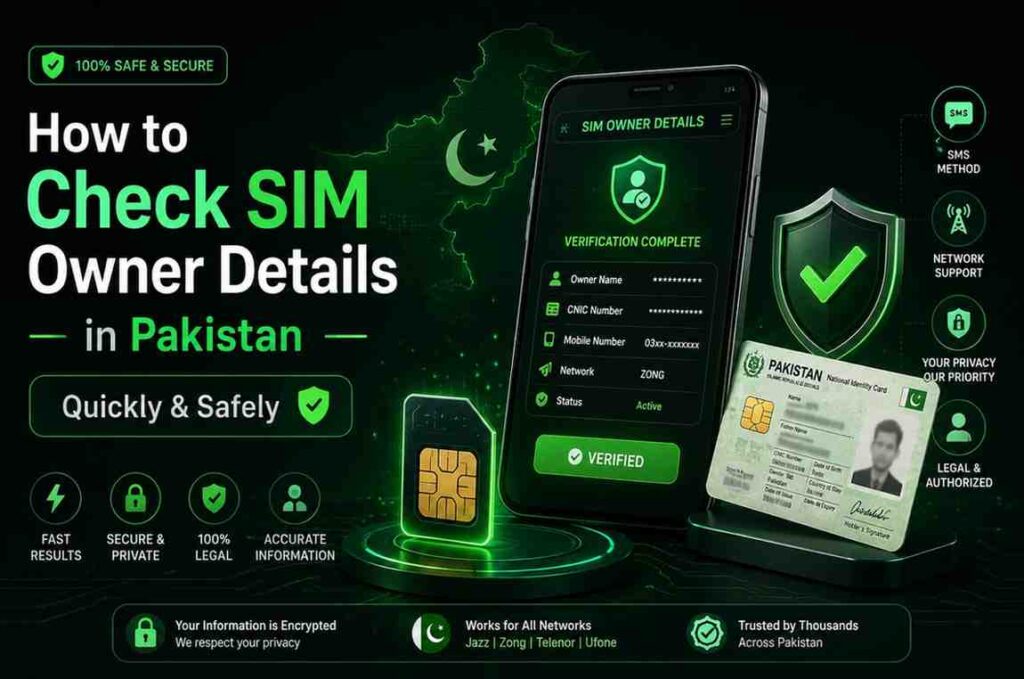
How to Check SIM Owner Details in Pakistan Quickly & Safely

If you want to check SIM owner details in the fastest and safest way, always use official telecom verification methods approved in Pakistan. These options allow you to perform a SIM ownership check without using unauthorized websites or paying unnecessary fees.

💬
Quick SMS Method (No Internet Required)
Open your mobile Messages app, type MNP in capital letters, and send it to 667. Within a few seconds, you will receive basic information such as the mobile network operator and partial registration details.
Standard SMS charges may apply depending on your network.
🆔
CNIC SIM Check Method
To see how many SIMs are registered against your CNIC, type your 13-digit CNIC number (without dashes) and send it to 668. You will receive the total count of active SIMs linked to your identity across major operators in Pakistan.
🌐
Official Online Portal Method
For a more detailed breakdown, users can visit the official SIM information portal managed under the regulations of the Pakistan Telecommunication Authority. There, you can enter your CNIC to view operator-wise SIM registration details securely.
SIM-Owner-Details-Check-by-Number
SIM Owner Details Check by Number • Pakistan
Step by Step

SIM Owner Details Check by Number

To perform a SIM owner details check by number using our website tool, simply follow these steps:

1

Enter your mobile number in the search bar above

2

Click the Check Details button

3

View the available SIM registration and network information results

Our tool provides structured guidance to help you verify SIM registration status, confirm the network operator name, and understand the correct official verification method for your number. It is designed to be secure, free, and easy to use, without requiring registration or collecting personal data.

SIM-Owner-Details-Check-by-CNIC
SIM Owner Details Check by CNIC • Pakistan
CNIC Verification

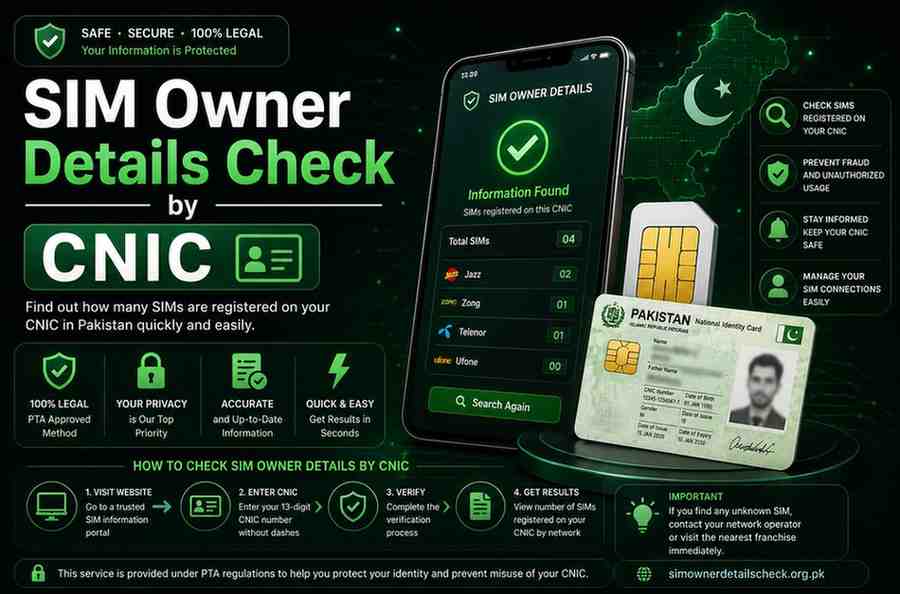
SIM Owner Details Check by CNIC

To perform a SIM owner details check by CNIC using our website tool, follow these simple steps:

1

Enter your 13-digit CNIC number (without dashes) in the search bar

2

Click the Check Details button

3

View the operator-wise SIM registration guidance and verification results

Our tool helps you understand how many SIMs may be registered under your CNIC and provides the correct official method to complete a secure CNIC SIM check. It is designed to be reliable, easy to follow, and fully aligned with PTA verification standards.

5-Updated-&-Official-Ways-to-Check-SIM-Owner-Details-in-Pakistan
5 Official Ways to Check SIM Owner Details • Pakistan 2026
2026 Updated Methods

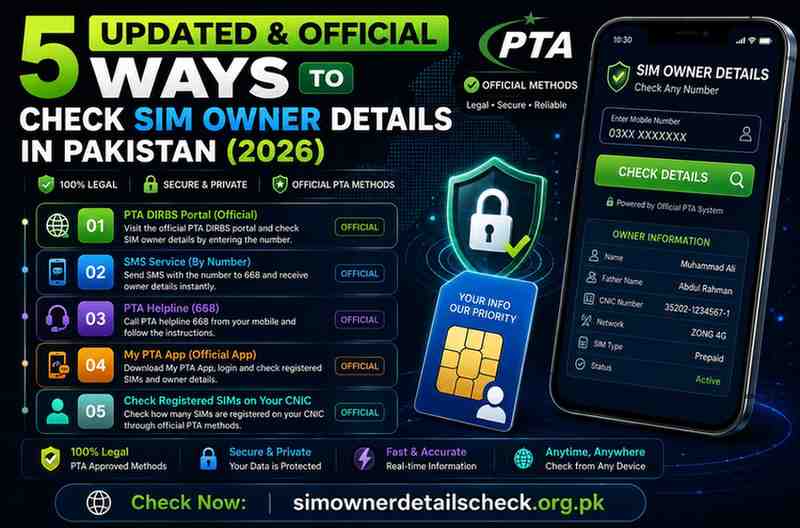
5 Updated & Official Ways to Check SIM Owner Details in Pakistan (2026)

In 2026, checking SIM owner details in Pakistan is easier, safer, and fully regulated under telecom compliance laws. If you want to perform a SIM ownership check, verify active numbers on your CNIC, or confirm SIM registration status, always use official verification channels approved by the Pakistan Telecommunication Authority.

Below are the latest and legally approved methods.

🆔
CNIC SMS Verification (Complete SIM Count)
The most secure way to check how many SIMs are registered on your CNIC.
• Open your phone’s Messages app
• Type your 13-digit CNIC (without dashes)
• Send to 668
• Receive total active SIM count operator-wise
Works on all networks No internet required Quick response
💬
SIM Ownership Verification via 667
Verify the registration of a specific SIM currently inserted in your phone.
• Type MNP in capital letters
• Send to 667
• Receive network and registration confirmation
Buying second-hand SIM Confirm registration Check suspicious numbers
🌐
Official Online CNIC SIM Portal
Check SIM registration details online through the official SIM verification portal.
• Visit the official SIM information portal
• Enter your 13-digit CNIC
• Complete verification
• View operator-wise SIM count
Detailed digital verification Printing records Desktop or mobile
📞
Mobile Network Operator Verification
Verify SIM registration directly through your telecom provider.
• Jazz • Zong • Telenor Pakistan • Ufone
Customer helpline USSD code checks Mobile app info Franchise biometric
🔒
Biometric Verification Confirmation (BVS Check)
Every SIM in Pakistan must be biometrically verified to avoid service restrictions.
• Visit your nearest authorized franchise
• Bring original CNIC
• Complete biometric thumb verification
Free of cost Protects against identity misuse

Check SIM Owner Details by Network

If you want to check SIM owner details by network, the safest approach is to use official verification methods provided by each telecom operator in Pakistan.

Jazz SIM Owner Details

Pakistan’s largest telecom operator with multiple free verification options.

• Send MNP to 667 for registration confirmation
• Dial *321# to check Jazz SIMs on your CNIC
• Send CNIC to 6001 for biometric status
• Call 111 from Jazz number for ownership verification
Zong SIM Owner Details

Zong users can verify SIM ownership through official services.

• Send MNP to 667 from your Zong SIM
• Send CNIC to 668 for total SIM count
• Send V to 7911 for biometric verification
• Call 310 Zong helpline for assistance
Telenor SIM Owner Details

Telenor Pakistan provides simple and fast SIM verification.

• Send MNP to 667 from your Telenor SIM
• Dial *345# to check SIMs linked with your CNIC
• Send CNIC to 7751 for biometric confirmation
• Call 345 from Telenor number for support
Ufone SIM Owner Details

Ufone customers can verify SIM ownership using official methods.

• Call 333 Ufone helpline for SIM ownership confirmation
• Send MNP to 667 from the Ufone SIM
• Dial *333# to view SIM registration details
• Send V to 7911 for biometric verification status
Why Choose SimOwnerDetailsCheck.org.pk • Comparison
Why Choose Us

Why Choose SimOwnerDetailsCheck.org.pk Instead of Paid SIM Lookup Sites?

Many websites claim to provide “SIM owner details” for high fees. However, most of these platforms are not officially authorized and may provide outdated or unreliable information. At SimOwnerDetailsCheck.org.pk, our goal is simple: provide secure, legal, and free guidance based only on officially approved verification methods regulated by the PTA and identity systems managed by NADRA.

Feature SimOwnerDetailsCheck.org.pk Paid SIM Lookup Websites
Cost 100% Free guidance per request
Data Source ✓ Official PTA-regulated verification methods ✗ Unverified or unclear sources
Legal Compliance ✓ Follows PTA regulations & PECA 2016 guidelines ✗ Many operate in legal gray areas
Accuracy ✓ Based on real official verification channels ✗ Often outdated or inconsistent
Privacy Protection ✓ No personal data collected or stored ✗ Risk of data misuse or phishing
Scam Risk ✓ Safe educational platform ✗ High risk on unknown sites
Jazz SIM Check Guide ✓ Free official method explained ✗ Usually paid
Zong SIM Check Guide ✓ Free official method explained ✗ Usually paid
Telenor SIM Check Guide ✓ Free official method explained ✗ Usually paid
Ufone SIM Check Guide ✓ Free official method explained ✗ Usually paid
CNIC SIM Count Check ✓ Free official 668 method guidance ✗ Paid services claim access
Biometric Verification Info ✓ Free step-by-step guidance ✗ Rarely available
What Information Can You Legally Check • Pakistan SIM Owner Details Legal Guide • Pakistan 2026 Conclusion • SIM Owner Details Check Pakistan
Final Summary

Conclusion

Checking SIM owner details in Pakistan is simple and secure when you use officially approved verification methods. Whether you perform a SIM owner details check by number or complete a CNIC SIM check, relying on authorized channels ensures accurate SIM registration verification and protects you from unauthorized SIM issuance, identity misuse, and telecom fraud. Official verification systems allow users to confirm network information and registered SIM counts without exposing private personal data.

All SIM registration services operate under the supervision of the Pakistan Telecommunication Authority, while biometric identity records are maintained by NADRA. At SimOwnerDetailsCheck.org.pk, we provide secure, free, and updated 2026 guidance to help you verify SIM ownership safely and legally without collecting personal information or accessing private databases.

✓ Always use official PTA-approved verification channels for SIM checks
✓ Protect yourself from unauthorized SIM issuance and identity fraud
✓ Verify SIM counts through CNIC SMS to 668 or dial *8484#
✓ Rely on free educational guidance without sharing personal data

Stay informed, stay compliant, and always use trusted verification methods for your SIM ownership needs.

🔒 Secure • 🆓 Free • 📅 2026 Updated • ⚖️ PTA Compliant
About Me • Author Box
About Me

About Me

HR
Hasan Raza
Telecom Analyst & Tech Writer

Hasan Raza is a Pakistan-based telecom analyst and technology writer with over 5 years of experience covering mobile network regulations, SIM registration compliance, and digital identity protection. He specializes in breaking down complex PTA verification procedures into simple, actionable guides for everyday users. His work focuses on helping Pakistanis understand SIM ownership verification, CNIC SIM checks, biometric registration, and secure telecom practices. Hasan is passionate about digital privacy education and regularly contributes to platforms focused on consumer telecom awareness. When not writing, he researches emerging trends in Pakistani telecom policy and mobile security frameworks.

📱 Telecom Analyst 🔒 Privacy Advocate 🇵🇰 Pakistan 📝 5+ Years Exp ✅ PTA Verified Guides
FAQs • SIM Owner Details Check Pakistan
Frequently Asked

FAQs

You can verify a SIM currently inserted in your phone by sending MNP to 667. This provides basic registration and network information through officially approved telecom verification methods.
Type your 13-digit CNIC number (without dashes) and send it to 668 to receive an operator-wise SIM count. This is the official method for a secure CNIC SIM check.
Yes, it is legal when done through authorized systems regulated by the Pakistan Telecommunication Authority. Accessing private subscriber data through unofficial sources is illegal.
No. Private data such as full CNIC numbers, home addresses, or call records is protected under Pakistani cyber laws and cannot be accessed publicly.
Yes. Our website provides 100% free guidance for SIM registration verification using official and legal methods. We do not charge fees or sell user data.
No. You can use SMS verification methods like sending CNIC to 668 or MNP to 667 without internet access.
Immediately contact your mobile network operator or visit a franchise with your original CNIC to block unauthorized SIMs and complete biometric verification.
SIM registration policies are regulated by the Pakistan Telecommunication Authority, while biometric identity systems are maintained by NADRA.
Yes. You can use official online telecom portals or visit a network franchise for in-person verification.
Regular SIM verification supports identity protection, prevents telecom fraud, and ensures that no unauthorized numbers are registered under your CNIC.