
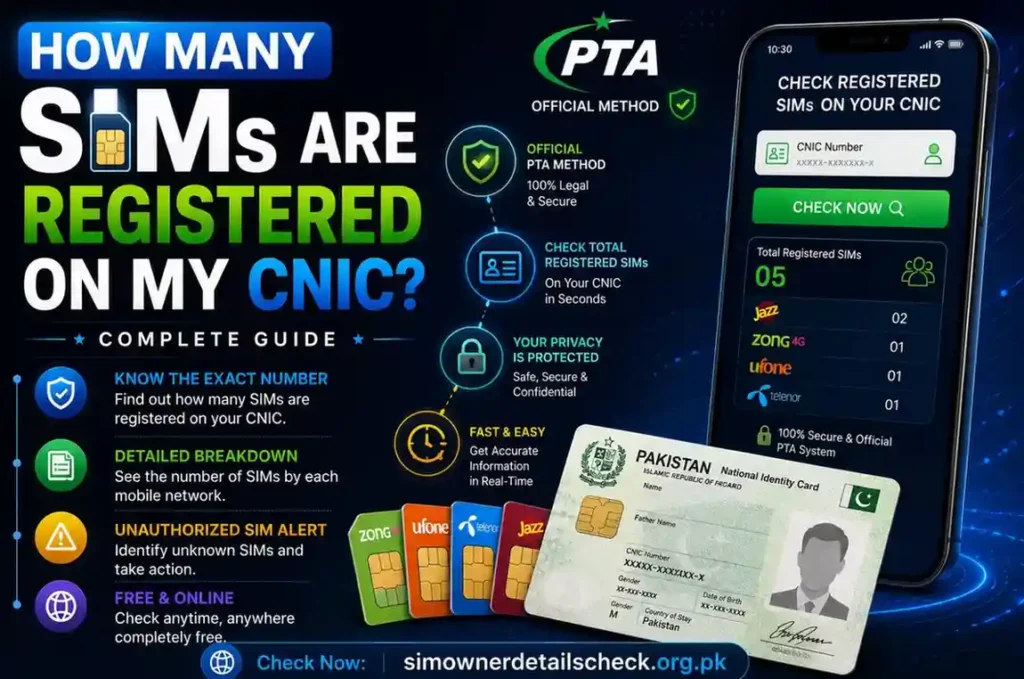
How Many SIMs Are Registered on My CNIC? Complete 2026 Guide
One of the most frequently asked questions by Pakistani mobile users is: “How many SIMs are registered on my CNIC?” This comprehensive guide answers that question in complete detail, providing every official method approved by the Pakistan Telecommunication Authority to check all SIMs — including Jazz, Zong, Ufone, and Telenor — registered against your Computerized National Identity Card number. Understanding your SIM registration status is not just about curiosity; it is a critical component of protecting your digital identity, preventing fraud, and ensuring full compliance with Pakistan’s telecom laws. For network-specific verification guides, you can also visit our dedicated pages for Zong SIM details, Ufone SIM details, and our main verification hub.
Table of Contents
- What “SIMs on my CNIC” actually means
- The SIM registration limit explained
- Universal Method — SMS CNIC to 668 (works for all networks)
- Universal Method — PTA’s cnic.sims.pk portal
- Operator-specific USSD codes (Jazz, Zong, Ufone, Telenor)
- How to read your results (active, blocked, disowned)
- Found an unknown SIM? Step-by-step fix
- Reporting identity misuse to NCCIA
- Common myths — why “type any number, see the owner” tools are fake or illegal
- FAQs
What “SIMs on My CNIC” Actually Means
When Pakistani users ask about “SIMs registered on my CNIC,” they are referring to the total number of active mobile connections that have been biometrically verified and linked to their unique 13-digit Computerized National Identity Card number. Every SIM card sold in Pakistan must undergo mandatory biometric verification against the purchaser’s thumb impression through NADRA’s national database at the point of sale. This verification creates a permanent digital link between the SIM card and the CNIC holder, making the CNIC owner legally responsible for all activities conducted through that mobile number.
This system was implemented by PTA to combat unauthorized SIM issuance, identity theft, and telecom fraud. However, despite these safeguards, cases of fraudulent SIM registration still occur — often through identity document misuse, insider fraud at franchise locations, or data breaches. This is why regularly checking the SIMs registered on your CNIC is absolutely essential. When you perform a CNIC SIM check, you are essentially auditing your digital identity to ensure no unauthorized person has obtained a mobile connection using your personal identification documents.
The SIM Registration Limit Explained
Under current PTA regulations updated for 2026, each Pakistani CNIC holder is allowed to register a maximum number of SIM cards across all mobile operators. Understanding these limits is crucial for managing your mobile connections and identifying potential fraud. The standard limits are as follows:
| Category | Maximum SIMs Allowed | Per Operator Limit | Notes |
|---|---|---|---|
| Individual CNIC | 15 SIMs total | 5 SIMs per operator | Standard limit for all citizens |
| Corporate/Commercial | Varies by approval | Subject to PTA approval | Requires additional documentation |
| Foreign Nationals | 5 SIMs total | 2 SIMs per operator | Valid visa and passport required |
| Data SIM Only | Included in total | Counted toward limit | Same biometric rules apply |
If your CNIC shows more SIMs than these permitted limits, or more SIMs than you personally registered, it is a strong indicator of identity fraud that requires immediate action. Even if you are within the legal limit, any SIM you do not recognize should be treated as a potential security threat. Visit our main guide page for complete instructions on what to do in such situations.
Universal Method — SMS CNIC to 668 (Works for All Networks)
The SMS your CNIC to 668 method is the single most reliable, universally accessible, and officially approved way to check all SIMs registered on your CNIC across every Pakistani mobile network. This service is operated directly by the Pakistan Telecommunication Authority and works on any mobile phone — from basic feature phones to the latest smartphones — without requiring any internet connection, smartphone app, or special configuration.
- Step 1: Unlock your phone and open the default Messages application (not WhatsApp, Messenger, or any third-party messaging app)
- Step 2: Tap the button to create a new SMS message
- Step 3: In the recipient field, type the shortcode 668
- Step 4: In the message body, type your complete 13-digit CNIC number without any dashes, spaces, hyphens, or special characters (example: 4220112345678)
- Step 5: Double-check that you have entered all 13 digits correctly
- Step 6: Press the Send button
- Step 7: Wait approximately 5 to 30 seconds for PTA’s automated response
- Step 8: Read the reply message which will list the total number of active SIMs registered on your CNIC, broken down by each operator (Jazz, Zong, Ufone, Telenor, and others)
This method is completely free of charge as a service from PTA. However, standard SMS charges may apply based on your current mobile package plan (typically Rs. 2 to Rs. 5 per SMS). The reply from 668 is always free and will arrive within seconds under normal network conditions. This method works across all Pakistani networks including Jazz, Zong, Ufone, Telenor, and SCOM. For operator-specific verification methods beyond this universal approach, check our detailed guides on Zong SIM verification and Ufone SIM verification.
Universal Method — PTA’s cnic.sims.pk Portal
For users who prefer a digital, browser-based approach with visual results and the ability to save or print verification records, PTA maintains an official online SIM verification portal. This web-based platform provides the same authoritative information as the SMS method but with a more detailed operator-wise breakdown displayed in an easy-to-read format. The portal is accessible from any device with an internet connection including desktop computers, laptops, tablets, and smartphones.
- Open any modern web browser (Google Chrome, Mozilla Firefox, Safari, Microsoft Edge)
- Type the official PTA SIM verification URL in the address bar
- Once the page loads, locate the CNIC input field
- Carefully enter your 13-digit CNIC number without any dashes or spaces
- Complete any CAPTCHA or security verification challenge if prompted
- Click the “Submit” or “Check” button
- Wait a few seconds while the system queries the PTA database
- View your results showing operator-wise SIM counts with clear labels
- Optionally, take a screenshot or print the page for your personal records
The online portal is especially useful for users who want to maintain a digital paper trail of their SIM verification history. The portal operates under strict PTA security protocols and does not store your CNIC information beyond the duration of the query. Always ensure you are visiting the official PTA website and not a lookalike phishing site. For more information about secure verification practices, visit our main secure verification guide.
Operator-Specific USSD Codes
In addition to the universal PTA methods, each mobile operator in Pakistan provides its own USSD code that customers can dial to check SIM-related information specific to that network. These codes are particularly useful when you want to check account-specific details beyond just the SIM count, such as registration status, package information, and biometric verification confirmation.
These USSD codes work on all types of mobile phones including basic feature phones without internet connectivity. The services are available 24 hours a day, 7 days a week, and are generally free of charge (standard USSD session charges may apply based on your package). For detailed operator-specific guides, see our dedicated pages for Zong and Ufone.
How to Read Your Results (Active, Blocked, Disowned)
When you receive your SIM verification results — whether through SMS, the online portal, or a USSD menu — understanding what each status means is crucial for taking appropriate action. PTA categorizes SIMs registered on your CNIC into several distinct status types:
| Status | Meaning | Action Required |
|---|---|---|
| Active | SIM is currently operational and in use. It is properly registered and biometrically verified under your CNIC. | No action needed if you recognize this SIM. Continue monitoring regularly. |
| Blocked | SIM has been deactivated either by your request, by the operator due to non-usage, or by PTA due to verification issues. It still counts toward your total limit. | Visit the operator’s franchise to either reactivate (if needed) or permanently remove from your CNIC record. |
| Disowned / Unknown | SIM appears on your CNIC record but you did not register it. This is the most serious flag — it indicates potential identity fraud. | IMMEDIATE action required. Follow the emergency steps in the next section below. |
| Pending Verification | SIM was issued but biometric verification is incomplete or under review by NADRA. | Visit the operator’s franchise to complete biometric verification before the SIM is blocked. |
Found an Unknown SIM? Step-by-Step Fix
If you discover a SIM registered on your CNIC that you do not personally recognize or remember registering, this constitutes potential identity fraud and requires immediate, decisive action to protect yourself from legal and financial liability.
- Step 1 — Document: Take a screenshot or write down all details of the unknown SIM including the operator name and any reference numbers from the verification result
- Step 2 — Call Helpline: Immediately call the concerned operator’s helpline (Jazz: 111, Zong: 310, Ufone: 333, Telenor: 345) to report the unauthorized SIM and request provisional blocking
- Step 3 — Visit Franchise: Go to the nearest authorized franchise or customer service center of the relevant operator as soon as possible — ideally the same day
- Step 4 — Bring Documents: Carry your original CNIC plus at least two clear photocopies for documentation purposes
- Step 5 — Request Full List: Ask the franchise representative to display all SIMs currently registered on your CNIC in their system
- Step 6 — Identify Fraudulent SIMs: Carefully review the list and formally identify every number you do not recognize
- Step 7 — Submit Blocking Request: Complete and sign the official SIM blocking request form for each unauthorized number
- Step 8 — Biometric Re-verification: Undergo fresh biometric verification to re-secure your identity against future fraudulent registrations
- Step 9 — Obtain Proof: Collect a written acknowledgment receipt or complaint reference number for your personal records
- Step 10 — Follow Up: Re-check your CNIC after 48 hours using the 668 SMS method to confirm the unauthorized SIMs have been removed
Reporting Identity Misuse to NCCIA
If you discover that your CNIC has been used fraudulently to register multiple SIMs across different operators, or if the concerned operator’s franchise fails to resolve your complaint satisfactorily, you have the right to escalate the matter to higher authorities. The National Cyber Crime Investigation Agency handles cases of identity theft and telecom fraud in Pakistan.
You can file a complaint with NCCIA through their official website or by visiting their regional offices. Additionally, PTA’s Consumer Protection Portal provides an online complaint management system specifically for telecom-related grievances. When filing a complaint, ensure you have all relevant documentation including your CNIC copies, the 668 verification result showing unknown SIMs, and any correspondence with the operator. Our main resource page provides direct links to all official complaint portals for your convenience.
Common Myths — Why “Type Any Number, See the Owner” Tools Are Fake or Illegal
Across the internet, particularly on social media platforms and unverified websites, you will encounter tools and services claiming to reveal the SIM owner’s name, address, or full CNIC simply by entering any mobile number. These claims are categorically false and often dangerous. No public website, mobile application, or online service can legally access or display private SIM ownership data in Pakistan. Such information is protected under the Prevention of Electronic Crimes Act 2016 and multiple PTA data protection regulations.
These so-called “SIM owner lookup” tools typically operate in one of three ways: they are outright scams designed to collect your personal information or money; they provide fabricated or randomly generated data that has no connection to reality; or they may be phishing operations that install malware on your device. Using or promoting such tools may also expose you to legal liability under Pakistani cybercrime laws. The only legitimate way to check SIM registration details is through the official PTA and operator methods described in this guide. For more information about legal verification, visit our trusted resource center.